iPhone Food Photography: How to Shoot Blog-Worthy Food With Your Phone
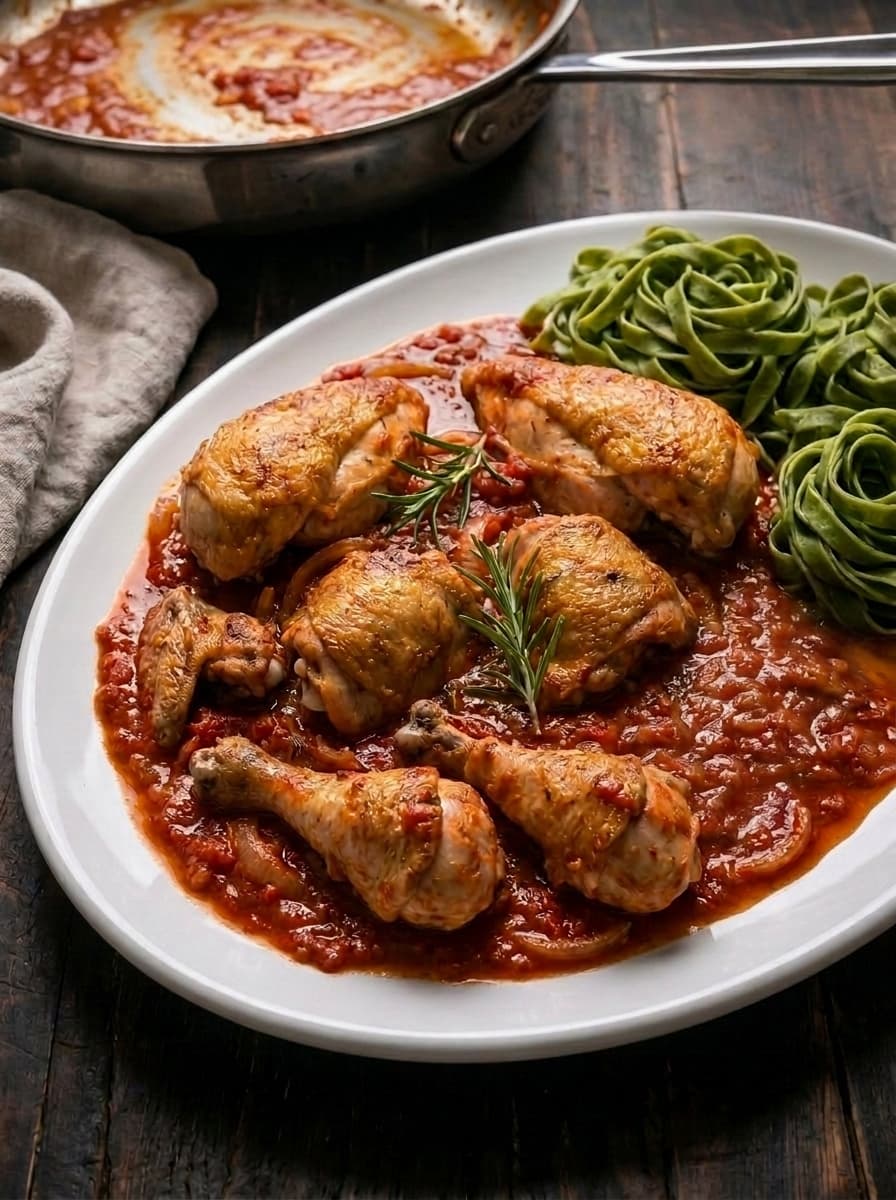
You don't need a $2,000 camera to take food photos that perform on Pinterest and look professional on your blog. Modern iPhones — especially the 14 Pro and newer — shoot food photography that's genuinely hard to distinguish from mirrorless camera output. If you know how to use them.
Here's how to get the most out of iPhone food photography for your food blog.
Why iPhone Food Photography Works in 2026
The iPhone 15 Pro and 16 Pro have:
- 48MP main sensor — more than enough resolution for web and Pinterest
- Portrait mode with depth control — simulates the shallow depth of field (bokeh) that makes food photos look editorial
- ProRAW format — captures more data for editing flexibility
- Macro mode — close-up shots of food texture without an additional lens
- Computational photography — the phone does HDR, noise reduction, and sharpening automatically
For food bloggers publishing content for the web (not print), this is more than sufficient. The limiting factor is never the phone — it's the light.
Lighting: The Only Thing That Matters
Say it with me: light makes the photo, not the camera.
The single best thing you can do for iPhone food photography:
Shoot near a large window. Place your food on a table next to the biggest window in your kitchen. The food should be 1–3 feet from the window. This gives you soft, directional natural light that looks professional.
Time of day matters. Overcast days produce the softest, most flattering food light. Direct midday sun creates harsh shadows. Early morning and late afternoon give warm, golden light.
Use a reflector. A white foam board ($3 from a dollar store) placed opposite the window bounces light back into shadows. This one trick eliminates the amateur "dark on one side" look.
Never use the flash. The phone's built-in flash produces flat, harsh, unflattering light. Turn it off permanently for food photography.
Camera Settings for Food
Portrait mode. Use it for every hero shot. It creates background blur that isolates the food. Set the f-stop to f/2.8–f/4 for natural-looking blur without over-processing.
2x zoom on Pro models. The 2x telephoto lens on iPhone Pro models is sharper for food than the wide lens. It also reduces distortion — plates look like plates, not ovals.
Lock exposure and focus. Tap and hold on the food to lock focus. Then slide the sun icon up or down to adjust brightness. This prevents the phone from refocusing or changing exposure mid-shoot.
Shoot in ProRAW (if comfortable editing). ProRAW captures more highlight and shadow detail, giving you more flexibility in Lightroom or Snapseed. If you don't edit, standard HEIF is fine.
Grid lines on. Enable the grid overlay in Settings > Camera. Use the rule of thirds — place the main dish at an intersection point, not dead center.
Composition Rules for Phone Photography
Rule of thirds. Don't center everything. Place the main dish on one of the four intersection points of the grid. This creates more dynamic, professional compositions.
Overhead works best on phones. The wide-angle lens on phones is naturally suited to overhead (flat lay) shots. Stand directly above the food, keep the phone parallel to the surface.
45-degree angle for height. For dishes with height (burgers, stacked pancakes, layer cakes), hold the phone at roughly 45 degrees. This shows both the top and the side.
Leave negative space. Don't fill every inch of the frame. Leave empty space on one side or above the dish — this gives room for text overlays on Pinterest pins.
Shoot more than you think. Take 20–30 shots from different angles and distances. You'll pick the best 4–5 for your blog post.
Cheap Accessories That Make a Difference
You don't need expensive gear. These under-$30 accessories level up phone food photography:
| Accessory | Cost | What It Does |
|---|---|---|
| White foam board | $3 | Reflects window light, fills shadows |
| Black foam board | $3 | Creates deeper shadows for moody shots |
| Phone tripod with overhead arm | $15–$25 | Stable overhead shots without shaky hands |
| Clip-on macro lens | $10–$15 | Extreme close-ups of food texture |
| Bluetooth remote | $5–$10 | Trigger shutter without touching phone (reduces shake) |
Total investment: under $50 for a complete iPhone food photography kit.
Editing Apps for Food Photos
Shooting is half the job. Editing makes good photos great.
Lightroom Mobile (free). The best free editing app for food photos. Adjust exposure, white balance, shadows, highlights, and saturation. The selective editing tools let you brighten just the food without affecting the background.
Snapseed (free). Google's free editor. Strong selective tools and a "drama" filter that adds depth to food photos. Great for quick edits.
VSCO (free with paid filters). Preset-based editing. The C1 and A6 presets work well for bright food photography. Quick and consistent.
The editing workflow:
- Straighten and crop (rule of thirds)
- Adjust white balance (warm for comfort food, neutral for salads)
- Lift shadows slightly (reveals detail in dark areas)
- Pull highlights down slightly (recovers detail in bright areas)
- Add a touch of saturation to warm tones (makes food look appetizing)
- Sharpen slightly for web output
Editing should take 1–2 minutes per photo. If you're spending 10 minutes, you're overcomplicating it.
Common iPhone Food Photography Mistakes
Shooting in bad light. No amount of editing fixes a photo taken in dim kitchen lighting or under fluorescent tubes. Move to the window.
Using the flash. Never. It destroys food photography. Natural light or an LED panel only.
Too much clutter. Three props maximum. A plate, a napkin, maybe a fork. Beginners add too many items and the food gets lost.
Wrong white balance. Auto white balance can make food look blue or green under certain lights. Warm it up in editing if the food looks unappetizing.
Not shooting enough. Professional food photographers shoot 50–100 frames to get 5 keepers. Take more photos than you think you need.
Centering everything. Use the rule of thirds. Centered compositions look like product shots, not editorial food photography.
When to Upgrade From iPhone
Your iPhone is enough if:
- You're publishing for web only (not print)
- Your blog is under 100,000 monthly pageviews
- You're not selling photography services
- Your food photography style is bright and clean
Consider upgrading to a mirrorless camera when:
- You need more background blur control (f/1.4–f/1.8 lenses)
- You're shooting in challenging low-light conditions regularly
- You want to shoot tethered for instant review on a larger screen
- Your blog revenue justifies the $600–$1,200 investment
For most food bloggers, the iPhone is genuinely sufficient. The upgrade that matters more than a new camera is better light.
What to Read Next
- Food Photography for Food Bloggers: The Complete Guide — the full playbook beyond phone photography
- Food Photography Equipment Guide — when and what to upgrade to
- Food Photography Editing Guide — apps, presets, and workflow
- Food Photography Styles Explained — find your visual brand
Don't want to photograph at all? Our AI food photography service generates editorial food images for $15/set — no camera, no lighting, no editing required.