The Complete Pinterest Guide for Food Bloggers (2026)
Pinterest is the highest-ROI traffic source for food bloggers. Not Instagram, not TikTok, not Facebook. Pinterest. Because Pinterest is a search engine — and recipe content is exactly what its users are searching for.
After managing 16 live food-blog Pinterest accounts driving 5.31M monthly impressions, this guide covers everything you need to know to use Pinterest effectively for your food blog in 2026.
Why Pinterest Matters for Food Bloggers
Pinterest users are planners. They search "easy weeknight dinners" on Tuesday to cook on Thursday. They search "Thanksgiving side dishes" in October to cook in November. This planning behavior is why Pinterest traffic converts to actual blog visits — the user wants your recipe.
Compare that to Instagram (entertainment, rarely clicks out) or TikTok (discovery, almost never clicks out). Pinterest users click. That's the whole game.
The numbers from our accounts:
- 5.31M monthly impressions across 16 food-blog accounts
- 193,000+ monthly outbound clicks (actual blog visits)
- Average click-through rate of 3.6% (vs Instagram's ~0.5%)
Setting Up Your Pinterest Business Account
If you haven't set up Pinterest for your food blog yet, do this first:
1. Create a business account (not personal). Business accounts give you access to analytics, rich pins, and advertising tools. You can convert an existing personal account or create a new one.
2. Claim your website. This enables rich pins — pins that automatically pull your recipe title, description, and metadata from your blog. Go to Settings > Claim > enter your domain.
3. Optimize your profile. Your display name should include your niche keyword: "The Weeknight Table | Easy Dinner Recipes" is better than just "The Weeknight Table." Write a description that includes what you blog about and who it's for.
4. Create 15-20 boards organized by recipe category — not by aesthetic. "30-Minute Chicken Dinners" gets searched. "Food I Love" doesn't. Every board name should be a keyword people search for on Pinterest.
Pinterest Board Strategy
Your boards are how Pinterest categorizes your content. Get this wrong and the algorithm doesn't know what to do with your pins.
Board naming rules:
- Use search terms, not creative names ("Air Fryer Recipes" not "Crispy Magic")
- One topic per board — don't mix desserts and dinners
- 15-20 boards is the sweet spot for a food blog
- Write keyword-rich board descriptions (2-3 sentences)
Board examples for a general food blog:
- Easy Weeknight Dinners
- 30-Minute Meals
- Chicken Recipes
- Pasta Recipes
- Healthy Meal Prep
- Air Fryer Recipes
- Slow Cooker Recipes
- Dessert Recipes
- Breakfast Ideas
- Side Dish Recipes
For a deep dive on organizing your boards, read our Pinterest Board Strategy guide.
Pinterest Pin Design
Your pin is a 2-second sales pitch. The image stops the scroll. The text overlay earns the click. Get both right and your pin drives traffic for months.
Pin design fundamentals:
- 2:3 vertical ratio (1000x1500px) — takes up maximum feed space on mobile
- Text overlay — 8 words maximum, legible on mobile, high contrast against the image
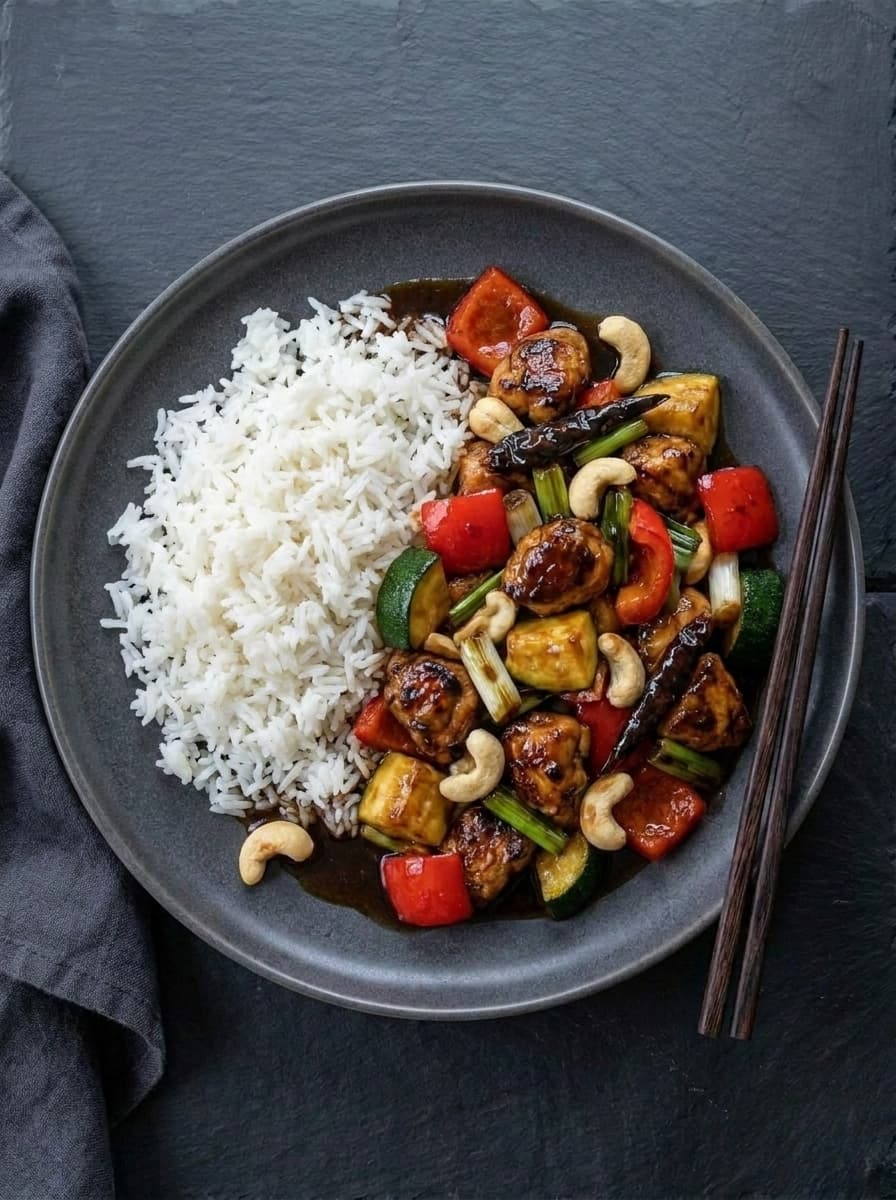
- Food image quality — close-up, well-lit, visible texture. Dark and moody styles stop the scroll best for comfort food. Bright and clean works for health content.
- Brand consistency — use the same fonts, colors, and style across all pins so readers recognize your content
For detailed design tips, read our Pinterest Pin Design guide.
Pinterest SEO
Pinterest is a search engine. Every pin needs keyword optimization — just like every blog post needs Google SEO.
Where to put keywords:
- Pin title — the recipe name + a modifier ("Easy Garlic Butter Salmon — Ready in 20 Minutes")
- Pin description — 2-3 sentences with natural keyword placement. Not a hashtag dump.
- Board name — the category keyword
- Board description — 2-3 keyword-rich sentences
- Your profile description — your niche keywords
How to find Pinterest keywords: Type your recipe topic into Pinterest search. The auto-suggest dropdown and the colored suggestion chips below the search bar are Pinterest's own keyword data. Use these exact phrases.
For a complete SEO walkthrough, read our Pinterest SEO for Food Bloggers guide.
Pinterest Scheduling & Frequency
Consistency beats perfection. Pinning daily at a steady cadence matters more than hitting the "perfect" time.
Recommended frequency:
- New food blogs (0-50 posts): 5-8 pins per day
- Growing blogs (50-200 posts): 10-15 pins per day
- Established blogs (200+ posts): 15-20 pins per day
Fresh pins vs repins: Pinterest's algorithm heavily favors fresh pins — new images linking to existing URLs. For every recipe, create 3-5 different pin designs. Pin one per week over a month.
For data on when to schedule, read our Best Time to Post on Pinterest guide. For seasonal planning, see our Seasonal Pinterest Strategy.
Pinterest Analytics
Numbers without context are useless. Here's what actually matters in your Pinterest analytics:
Outbound clicks — the only metric that directly equals blog traffic. This is your north star. Impressions and saves are vanity metrics unless they lead to clicks.
Impressions — how many times your pins were shown. Useful for tracking overall distribution but doesn't directly earn you money.
Save rate — a signal that Pinterest's algorithm uses to decide whether to show your pin to more people. High save rate = more distribution.
Top performing pins — find your winners and create more content like them. Which recipes, styles, and titles drive the most clicks?
For a detailed analytics breakdown, read our Pinterest Analytics guide.
The Pinterest Algorithm in 2026
The Pinterest algorithm decides which pins get shown to which users. Understanding it helps you work with it, not against it.
Key algorithm signals:
- Fresh content — new pin images get a distribution boost
- Domain quality — blogs that consistently produce clicked pins get more distribution
- Relevance — pin keywords must match what the user searched for
- Engagement — saves and clicks tell the algorithm this pin is valuable
- Consistency — accounts that pin daily get more distribution than sporadic pinners
For a deep dive, read our Pinterest Algorithm Explained guide.
Pinterest Video Pins & Idea Pins
Pinterest now supports multiple pin formats beyond static images:
Video pins — short recipe videos (15-60 seconds) that autoplay in the feed. Higher engagement than static pins but harder to produce consistently.
Idea pins — multi-page, story-like pins. High engagement and saves, but historically don't include outbound links (Pinterest is changing this). Good for reach, less reliable for traffic.
Static pins — still the workhorse for food bloggers. Easiest to create at volume, reliable outbound click driver.
For a detailed comparison, read our Pinterest Video Pins vs Static Pins guide.
Should You Hire a Pinterest Manager?
Managing Pinterest properly takes 1-2 hours per day — keyword research, pin design, scheduling, analytics review, strategy adjustment. That's 30-60 hours per month.
Options:
- DIY — free, but costs your time. Best if you're under 50 posts and learning.
- Pinterest VA — $100-200/month, executes tasks you define. Best if you already have a working strategy.
- Pinterest manager — $250-550/month, owns strategy and results. Best if you want growth without the learning curve.
For a detailed comparison, read our Pinterest VA vs Pinterest Manager guide. For pricing details, see How Much Does a Pinterest Manager Cost.
Getting Started: Your First 30 Days
Week 1: Set up business account, claim website, create 15 boards with keyword-rich names and descriptions.
Week 2: Design 3 pin variations for your top 10 recipe posts. Schedule 5 pins per day.
Week 3: Design pins for your next 10 posts. Increase to 8-10 pins per day. Study analytics.
Week 4: Review what's working. Double down on high-performing pin styles and recipe topics. Plan next month's content.
After 30 days, you'll have a functioning Pinterest system. After 90 days, you'll see meaningful impression growth. After 6 months, Pinterest can become your top traffic source.
What to Read Next
- Best Time to Post on Pinterest — data-backed scheduling
- Pinterest VA vs Pinterest Manager — hiring guide
- Pinterest SEO for Food Bloggers — keyword research and optimization
- Pinterest Pin Design Tips — designs that drive clicks
- Pinterest Algorithm Explained — how distribution works
- Pinterest Analytics Guide — which metrics matter
- Seasonal Pinterest Strategy — monthly content calendar
- Pinterest Marketing Plan — the full playbook
- Pinterest Video Pins vs Static — format comparison
Want us to run your Pinterest? Our Pinterest management service handles everything — pin design, SEO, scheduling, and analytics — starting at $250/month.